4× BULLET 8 Mpx · 40 m IR + NVR 9-kanál PoE
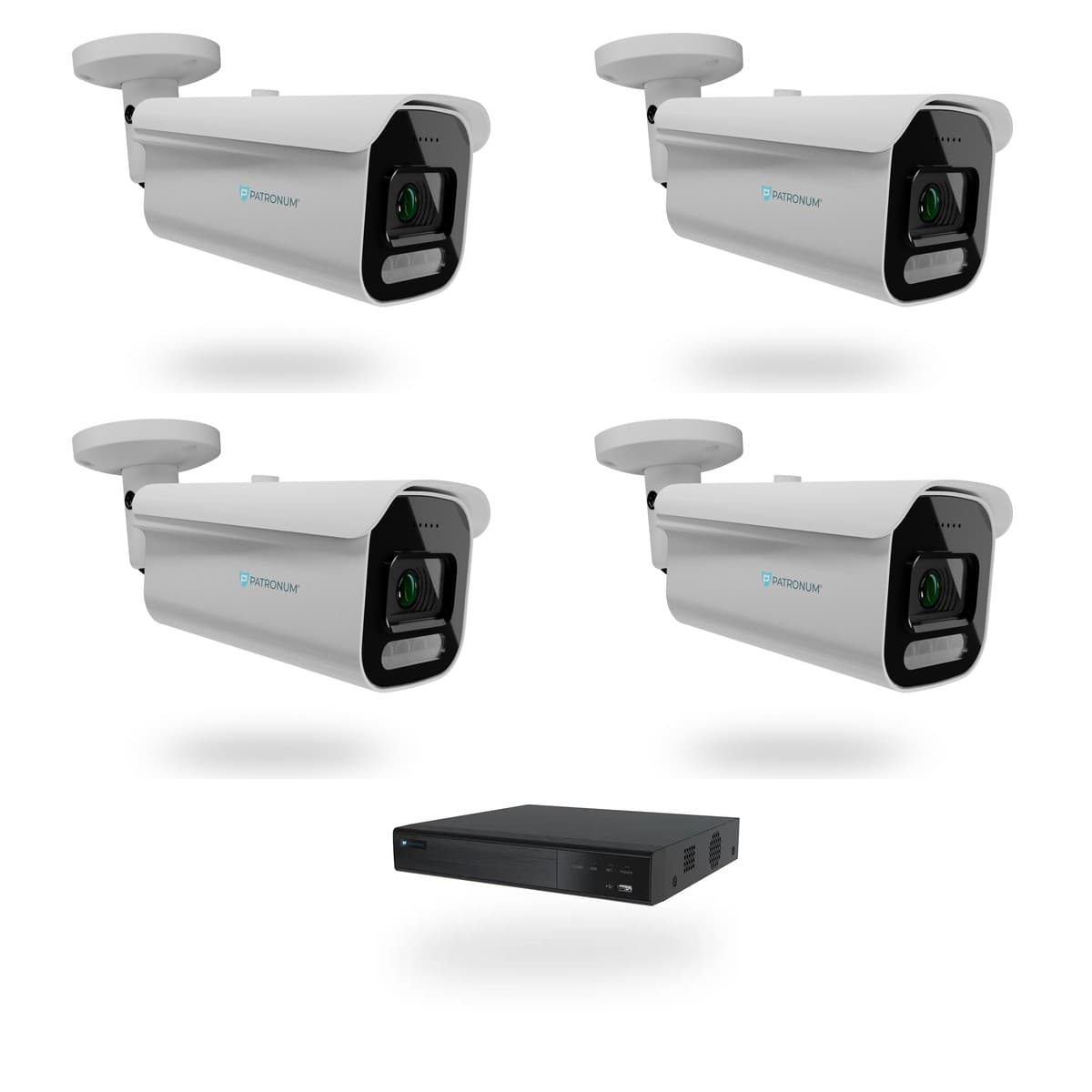
Kompletní kamerový set pro perimetrický monitoring v rozlišení 4K / 8 Mpx. Čtyři venkovní bullet kamery PATRONUM s nočním dosahem 40 m, 9kanálový NVR rekordér se čtyřmi PoE porty a předinstalovaným diskem 2 TB — vše připraveno k okamžité instalaci. Krytí IP67, hliníkový plášť, komprese H.265 — nasazení bez kompromisů pro rodinné domy, průmyslové objekty i komerční areály.
Co NVR 9 skutečně umí.
Profesionální 4K kamerový set pro střežení vnějšího perimetru
Set BDL-PHASE4-VDB-P4-W je navržen pro systematické pokrytí venkovních prostor vyžadujících vysoké rozlišení a spolehlivé noční vidění. Čtyři bullet kamery PATRONUM v rozlišení 8 Mpx (3840 × 2160 px) v kombinaci s 9kanálovým NVR rekordérem tvoří uzavřený, okamžitě funkční systém — bez nutnosti dohledávat kompatibilní komponenty.
Obrazový výkon: 4K a 40 m IR dosah
Každá kamera pracuje s rozlišením 8 Mpx, které umožňuje věrohodnou identifikaci osob, detekci registračních značek vozidel na střední vzdálenost nebo přesnou analýzu pohybu v záběru. Infračervené přisvícení s efektivním dosahem 40 m zajišťuje využitelný obraz i při nulové okolní illuminaci. Mechanická konstrukce z hliníkové slitiny a krytí IP67 odpovídají nárokům trvalého venkovního provozu — prach, déšť ani kondenzace provoz neomezují.
NVR rekordér: 9 kanálů, 4× PoE, připravený na pevný disk
Přiložený NVR rekordér disponuje devíti video kanály, přičemž čtyři jsou osazeny PoE porty pro přímé napájení kamer bez externího injektoru. Rekordér je připravený na pevný disk, který se dokupuje samostatně — po osazení je provozuschopný ihned po základní konfiguraci. Kapacitu úložiště lze rozšířit výměnou disku dle požadavků na dobu retence záznamu.
Komprese H.265 — efektivní využití úložiště
Všechny kanály pracují s kompresí H.265, která při zachování plné kvality 4K obrazu výrazně snižuje nároky na diskový prostor oproti H.264. Výsledkem je delší doba záznamu na stejné kapacitě disku — klíčový parametr při kontinuálním nahrávání čtyř 8 Mpx streamů.
Připravenost k integraci: ONVIF a síťová architektura
Kamery i rekordér jsou ONVIF kompatibilní, což umožňuje zařazení setu do stávající bezpečnostní infrastruktury nebo správu přes třetí strany ONVIF-kompatibilní VMS platformy. Přiložené kabely Cat6 v délce 18 m na každou kameru pokrývají standardní instalační vzdálenosti a jsou vhodné pro přenos dat i PoE napájení v jednom vedení.
Co je součástí balení
- 4× venkovní IP kamera PATRONUM 8 Mpx — bullet, IP67, hliníkový plášť, IR 40 m
- 1× 9kanálový NVR rekordér se 4× PoE porty
- 1× HDD slot — disk není součástí sady, dokupuje se samostatně
- 4× kabel Cat6, 18 m — datový přenos + PoE napájení
- Konektory, montážní materiál, hmoždinky, šrouby
Typické scénáře nasazení
Set je dimenzován pro objekty s délkou střeženého perimetru odpovídající čtyřem nezávislým pohledovým osám — rodinné domy větších rozměrů, průmyslové haly, skladové areály, parkoviště nebo vstupní zóny komerčních budov. Bullet forma faktor zajišťuje snadné zaměření kamery při montáži a zřetelný vizuální odstrašující efekt.
Proč PATRONUM bullet 8 Mpx
- Nativní 4K rozlišení — identifikace detailů bez digitálního přiblížení
- IR dosah 40 m — použitelný záběr i při úplné tmě
- Hliníkový plášť + IP67 — odolnost pro celoroční venkovní provoz
- H.265 komprese — maximální retence záznamu při minimálním nároku na HDD
- ONVIF kompatibilita — otevřená integrace do větších systémů
Kompletní sada dodávána jako plug-and-play celek. Pro rozšíření systému o další kamery jsou na rekordéru k dispozici volné kanály.
Every parameter, in detail.
Co říkají zákazníci, kteří si NVR 9 už koupili.
Zatím žádné recenze. Buďte první po nákupu.
Guides and articles, that may help.
Setting up a BitVision account and adding a device
BitVision is a cloud platform for managing PATRONUM cameras via mobile and PC. This guide walks you through account registration, adding a device by QR code, and starting remote monitoring.
How to secure cameras against hacking — practical checklist
An IP camera with the default password is exploitable on the internet within 24 hours. The guide walks you through 10 concrete steps — strong password, up-to-date firmware, isolated VLAN, UPnP off, two-factor auth.
Reasons for proper camera-system grounding
Proper grounding of a camera system protects equipment from surges, eliminates interference and ensures personal safety and long camera life.
What is P2P connection?
P2P (peer-to-peer) connection enables remote access to your camera system without needing a public IP address. Learn how it works and its benefits.
Cameras and GDPR: what you can record at your house and business
May your camera record the street, your neighbour or your employees? A practical guide by scenario: family house, video doorbell, business and apartment building — plus recording retention periods and a sample information sign.
ROI (Region of Interest) feature
The ROI feature lets you define areas in the camera's frame for increased attention, better motion detection and more efficient monitoring.