EDIT: From 1 June 2022 Google stopped supporting third-party device alerts, so we recommend a different provider (we don't recommend seznam.cz) — ideally your own email solution.
Email notifications setup
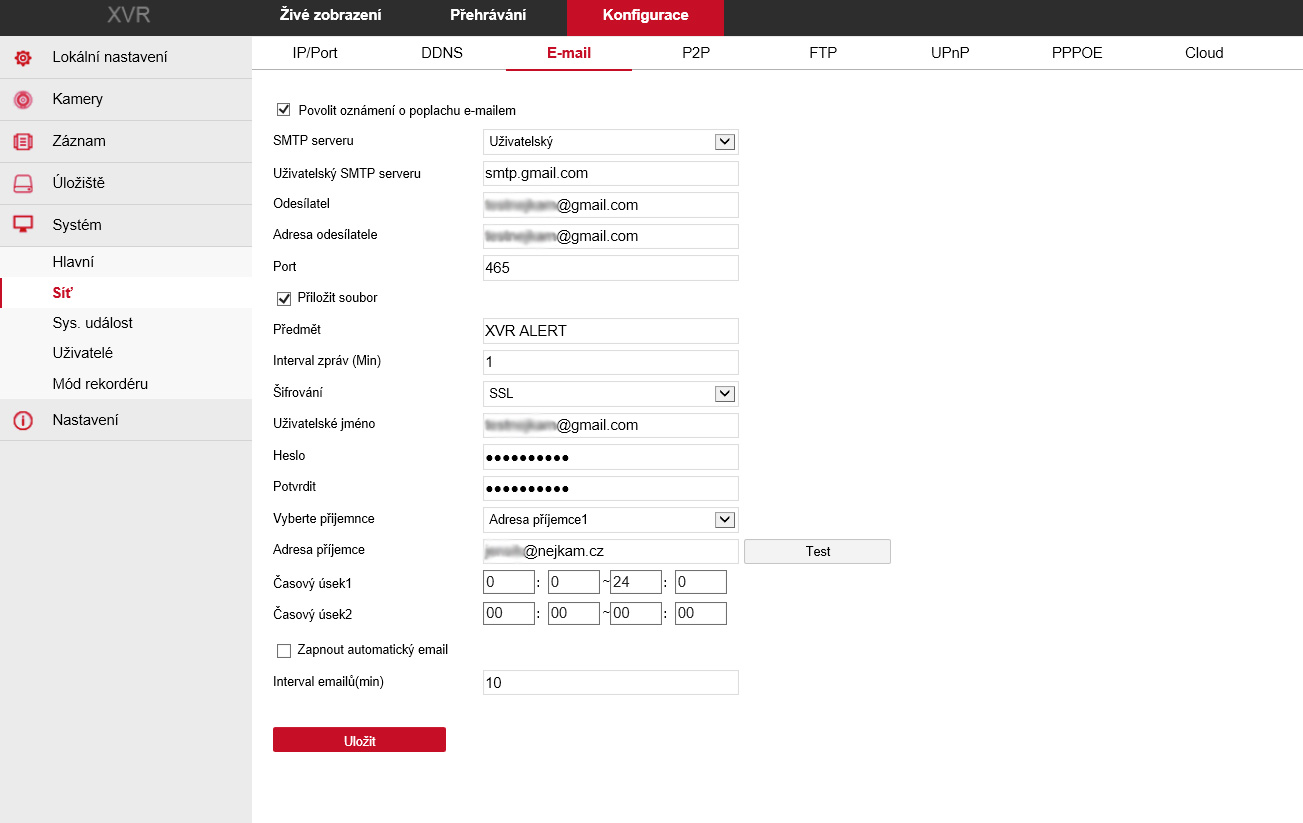
Configuring values on the device
We recommend using a Gmail address. Other providers may block machine communication.
- User SMTP server: smtp.gmail.com
- Sender: enter the mailbox email address
- Sender address: the address from which emails will be sent
- Port: 465
- Attach file: the email will include a snapshot taken at the moment of the event
- Subject: the alarm email subject
- Message interval (min): minimum interval at which messages may be sent
- Encryption: SSL
- Username: for mailbox login (usually the same as the sender address)
- Password: mailbox password
- Repeat: enter the mailbox password again
- Choose recipient: you can pick up to 3 different recipients
- Recipient address: the address that will receive notifications
- Test: button for testing the configuration
- Time slots: define when emails may arrive
- Enable automatic email: the system can send a regular email at the chosen interval to verify that communication is working
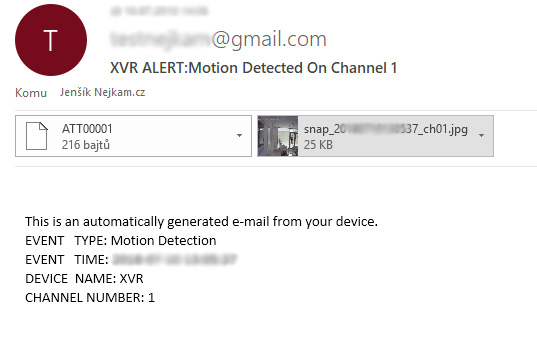
The received email
The email generated by the system contains the precise time of the event and optionally an attached image capturing the event that triggered the alarm.