Backing up recordings from the recorder
Local backup (XVR and NVR)
Remote backup — VMS Lite
Backup from IP cameras and recorders using a browser
If you use a web browser for backup, you must change the security configuration. By default the browser does not allow writing to local storage. The next steps show how to set this up correctly:
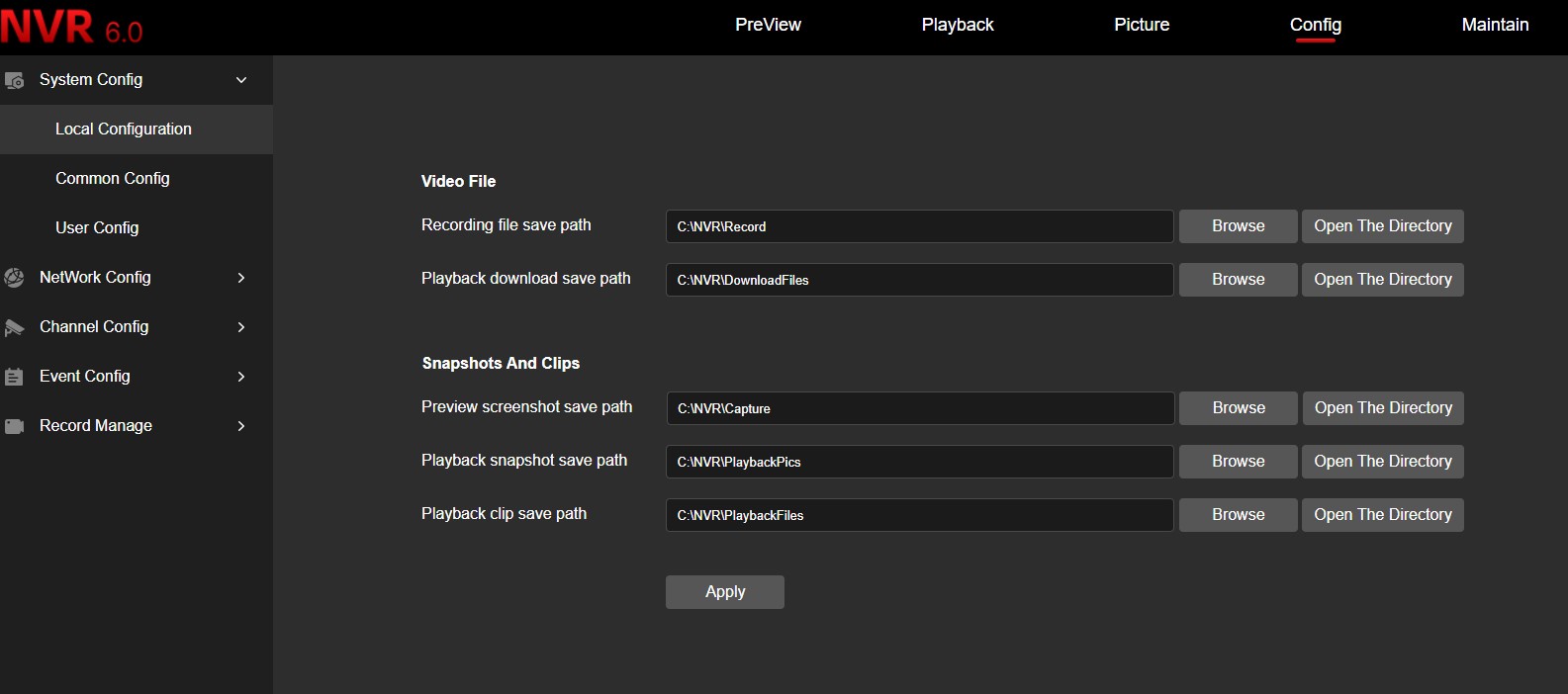
First, set the path for saving files:
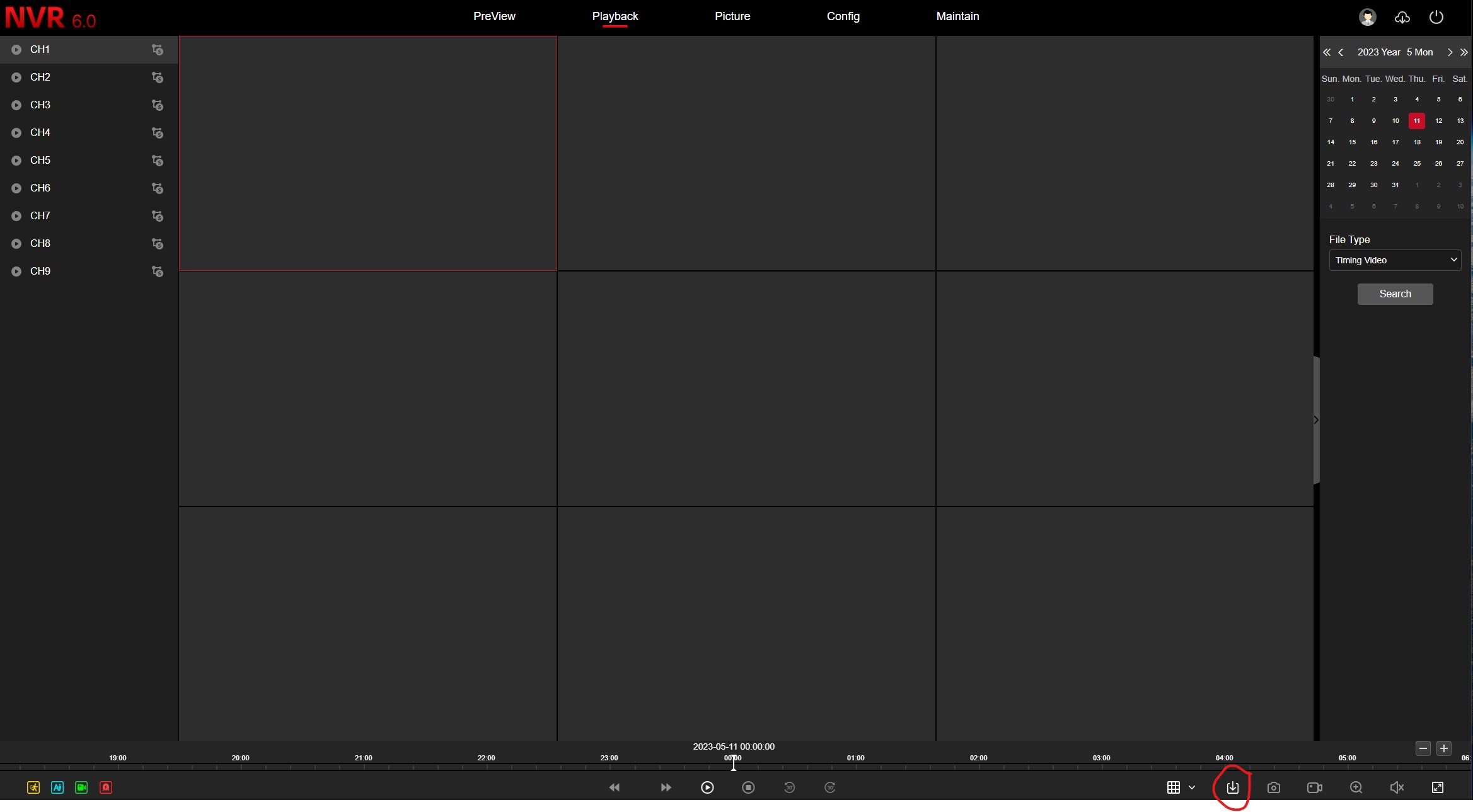
In the playback menu click the backup icon:
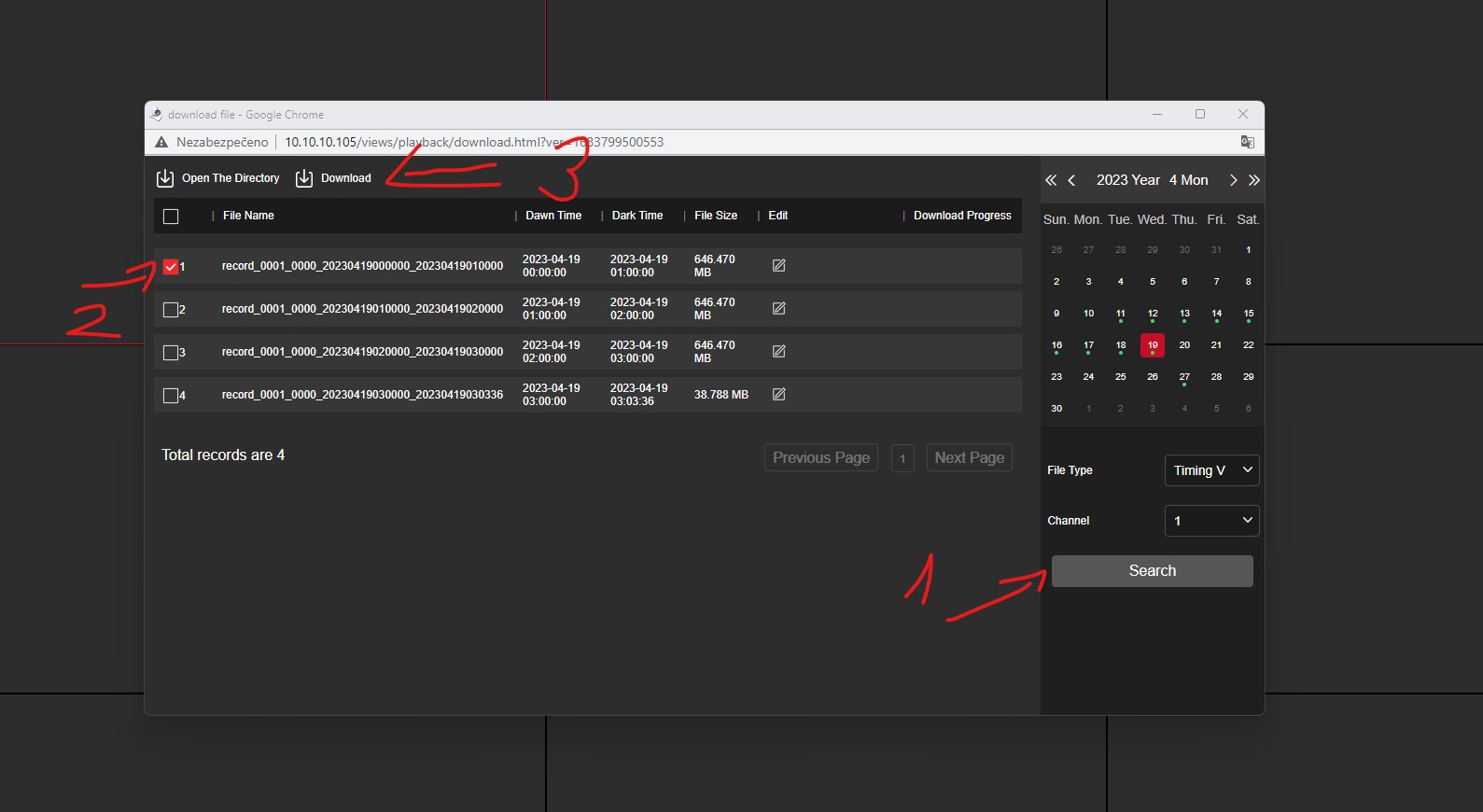
In the new window choose a date and search for recordings. Tick the recording you want to download and click Download.