What is a PUSH notification?
It is an audio and visual alert on the mobile device about an alarm state from your PATRONUM device, delivered by the BitVision app even when running in the background. A PUSH notification can include a snapshot of the event that triggered the alarm.
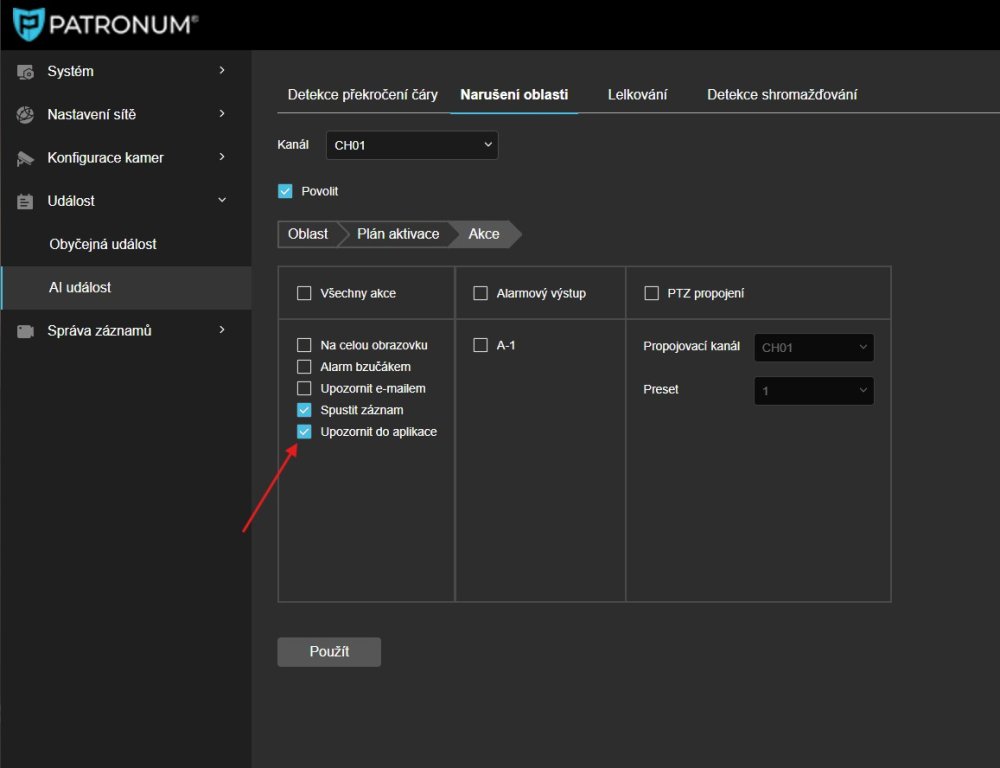
On the device (IP camera, recorder) you must have motion detection or another alarm correctly enabled and "App notification" set as the action.
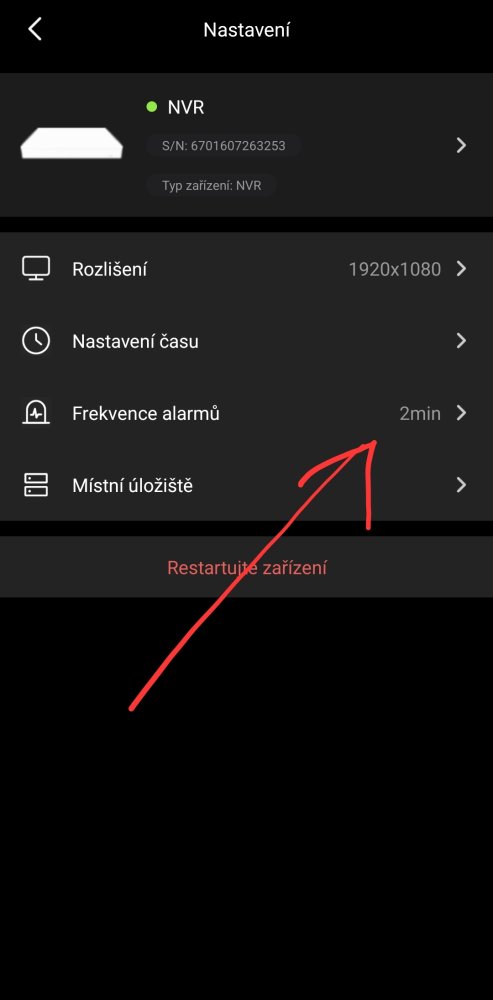
- In the main BitVision app settings the device must have "Alarm Frequency" enabled — find it under Device configuration > the three dots on the right side of the chosen device row.
- If everything is set correctly and you are not actively viewing live video in the app, you will be notified according to the alarm rules.