How to access the device web interface
What do I need to access the device web interface?
- Connect the device to power and to the network with the appropriate cable (Ethernet/PC network).
- Download the SearchTool app and find the device on the network.
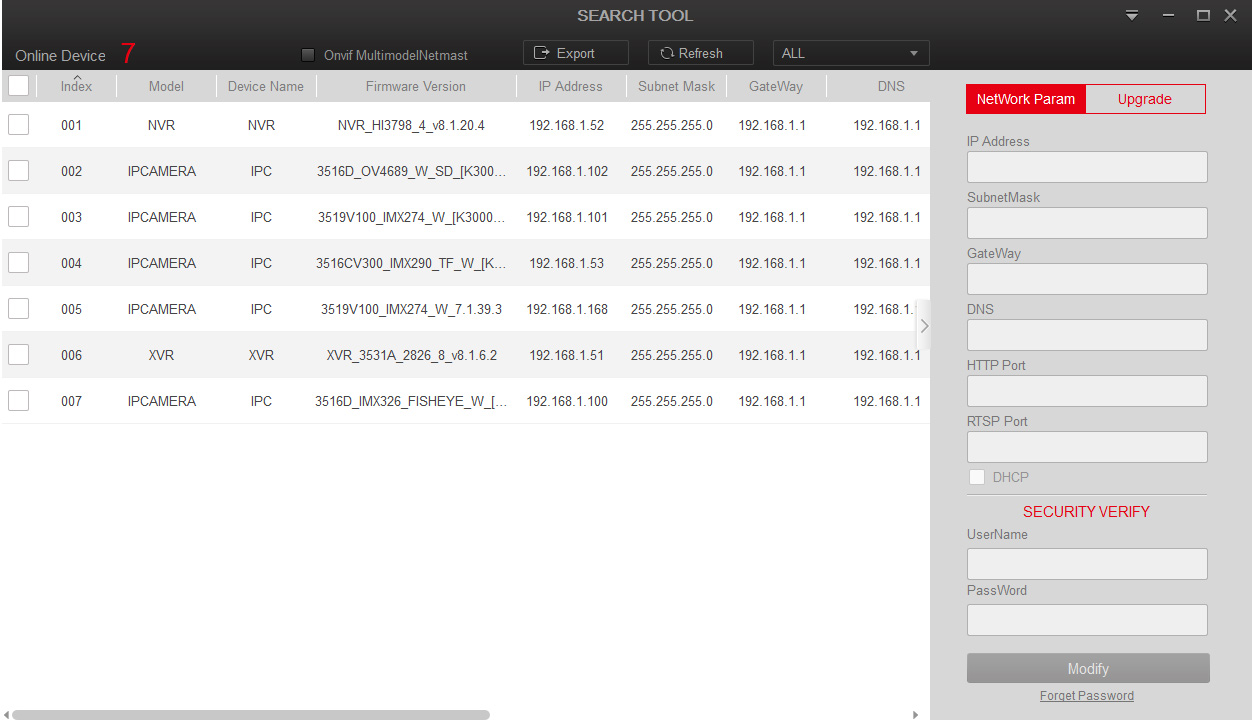
- Use this app to optionally adjust the IP address of the found device so it matches your network range.
- Open a web browser and enter the device's IP in the address bar in the format http://xxx.xxx.xxx.xxx:xxxx (if the web port is set to a value other than 80, enter that number after the colon).
- The browser will load the device web interface.
- If you connect for the first time, install a browser plug-in.
- After installation and an optional browser restart you'll be prompted for username and password.
- After entering the correct credentials the device web interface launches and you can perform all operations.